Your cart is currently empty!
Checkout is not available whilst your cart is empty—please take a look through our store and come back when you're ready to place an order.

An automatic filter coffee maker (also known as a drip coffee machine) is one of the most common home brewing methods. It works by heating water, pouring it evenly over the coffee grounds through a paper filter, and collecting the brewed coffee in a carafe.
Simple, consistent, and user-friendly — it’s perfect for preparing larger volumes of specialty coffee with minimal effort and reliable results.
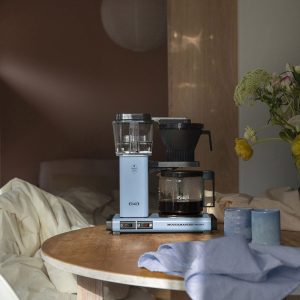
For a full brew (about 1 liter):
Coffee: 60g
Water: 1,000g (1 liter) at ~93–95°C
Grind: Medium (like coarse sea salt)
Filter: Paper or metal — rinse before use
Tip: Use clean, filtered water for best taste
Fill the water tank with 1L of filtered water
Place a rinsed paper filter in the basket
Add 60g of ground coffee into the filter
Start the machine and allow it to brew completely
Once brewing is finished, serve the coffee immediately
| Mistake | What It Causes | How to Fix It |
|---|---|---|
| Grind too coarse | Weak, under-extracted cup | Use slightly finer grind |
| Bad water or tap water | Off-flavors | Use filtered water |
| No filter rinse | Paper taste in cup | Rinse paper filter with hot water |
| Letting coffee sit on plate | Burnt or bitter aftertaste | Serve fresh, avoid hot plate holding |
| Wrong coffee-to-water ratio | Inconsistent strength | Start with 1:16–17 and adjust to taste |
Stories, tips and flavor – freshly served.